“Minutes - Responsive Multipurpose landing Page” Documentation by “Dilipkumar” v1.0
“Minutes - Responsive Multipurpose landing page”
Created: 02/17/2016
By: Dilipkumar
Email: mobileblogz@yahoo.com
Thank you for purchasing my theme. If you have any questions that are beyond the scope of this help file, please feel free to email via my user page contact form here. Thanks so much!
Table of Contents
A) HTML Structure - top
This theme is a Responsive layout with four column. Based on Bootstrap Framework. All of the information within the main content area is nested within a div with an id of "container". The sidebar's (column #2) content is within a div with an id of "secondaryContent". The general template structure is the same throughout the template. Here is the general structure.
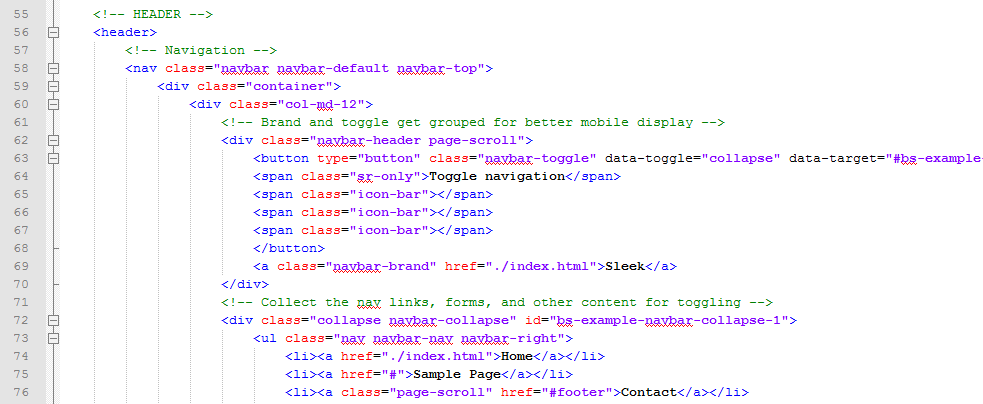
If you would like to edit the color, font, or style of any elements in one of these columns, you would do the following:
For header
header {
		background-color: #hexcode; //---for background change---//
		color: #hexcode; //---for font color change---//
}
So, to ensure that your new styles are applied, make sure that they carry enough "weight" and that there isn't a style lower in the CSS file that is being applied after yours.
B) CSS Files and Structure - top
I'm using Five CSS files in this theme. The first one is the main source file for bootstrap framework
The second file contains all of the specific stylings for the page. The file is separated into sections using:
/* 1. GLOBAL STYLES */
css codes

/* 2. HEADER */
css codes

/* 3. INTRO STYLES */
css codes

/* 4. TERMS / POPUP */
css codes

/* 5. SERVICES */
css codes

/* 6. FEATURES */
css codes

/* 7. INFO BOXES */
css codes

/* 8. INFO BOXES / DUAL */
css codes

/* 9. SCREENSHOTS  */
css codes

etc....
The third file contains all of the specific stylings for the Prettyphoto Lightbox.
The fourth file contains all of the specific stylings for Skins.
The fifth file contains all of the specific stylings for Font-Awesome Icons.
Dont change anything in first(bootstrap.css) file.
If you would like to edit a specific section of the site, simply find the appropriate label in the CSS file, and then scroll down until you find the appropriate style that needs to be edited.
C) JavaScript - top
This theme imports Eleven Javascript files.
- jQuery
- jquery.js - To enable jQuery
- bootstrap.min.js - Bootstrap js file
- jquery.flexslider.js - Responsive Slider plugin
- slick.min.js - Slick Carousel
- jquery.placeholder.js - Jquery placeholder
- jquery.easing.min.js - Jquery easing plugin
- jquery.ketchup.all.min.js - Mailchimp plugin
- jquery.countdown.min.js - Countdown Timer
- gmaps.js - Google Map
- jquery.swipebox.min.js - Lightbox Plugin
- main.js - Custom theme support file
D) Tutorial - top
Follow the steps below to change the demo contents with your own contents.
1. LOGO SECTION
To replace the logo name, find this code
Minutes
replace "Minutes" with your website name Or logo image url/source
2. NAVMENU
Open index.html file and find this code.
Replace "Services", "Info" with the menu name and "#" with the page link or anchor link.
3. INTRO CONTENT
Intro Content
Find this code
					Meet Minutes Landing page
					Lorem ipsum dolor sit amet ipsum lectus neumew nulla rhoncus eu quam sit amet varius lectus eget ligula eleifend rutrum ac vel justo.
					Purchase Now
					Learn More
replace the text between "<h2>" "</h2>" and "<p>" "</p>" with the intro title and description.
replace "Purchase Now" and "Learn More" with the button name.
replace "#" with the button links.
Same for all intro pages
Intro Slider
Find this code


replace "images/slide/1.png" with the first slide image.
Same for all. Unlimited slides can be added.
Intro Newsletter (mailchimp)
Open "subscribe.php" file from "PHP" folder and find this.
$apiKey = 'YOUR_API_KEY';
Replace "YOUR_API_KEY" with your mailchimp API key - How to get API key?
$listId = 'YOUR_LIST_ID';
Replace "YOUR_LIST_ID" with your mailchimp newsletter list id - How to get List ID?
$submit_url = "http://us3.api.mailchimp.com/1.3/?method=listSubscribe";
Replace "us3" with your actual data center (You can find the data center on the API key)
Intro Countdown Timer
Open "main.js" file from "JS" folder and find this.
var endDate = "August 20, 2016";
replace "August 20, 2016" with your product/app launch date.
4. SERVICES SECTION
Find this code.
						Responsive
						Lorem ipsum dolor sit amet consec tetur itaque autem neque adipi sicing elit repudiandae fugiat illo.
To replace the icon, go to this link and choose your icon and replace "icon-monitor" with your icon name. or go to "css/icons" folder and open each folder and open .html file in browser and choose your icon
Replace the text between "<h4>" "</h4>" and "<p>" "</p>" with the service title and description. This will be the same for all service columns.
5. FEATURES

					Marketing Concepts
					Sed commodo suscipit neque et libero sed finibus. Morbi elit nulla, rutrum eu nulla eu, lacinia tincidunt ligula.
					Learn More
Replace "images/other/2.jpg" with your image url or source
Replace the text between "<h4>" "</h4>" and "<p>" "</p>" with the feature title and description.
6. TESTIMONIALS
Find this code
It's iaculis lectus sed mattis nibh phasellus iaculis pulvinar purus vitae ligula interdum at mattis dui sodales non neque sit amet enim

replace the text between "<p>" "</p>" with the quote info.
replace the text between "<cite>" "</cite>" with the quote author info. replace "images/quote/1.png" with the quote author image.
7. PRICING TABLE
Find this code
replace "Basic" with the plan name.
replace the text between "<div class="price">" "</div>" and "<div class="price-cents>" "</div>" with the plan price.
replace the text between "<li>" "</li>" with the plan features.
replace the "#" in "<a href="#">" with the link to the plan page or checkout page.
8. GOOGLEMAP
Open "gmap-main.js" rom "JS/vendors/gmap" folder and find this.
        lat: 40.712784,
        lng: -74.005941,
You will find this code twice. Both should be updated
Go to this link and in the search bar update your location or address and press go.
Scroll down the page to see the lattitude and longitude of your location. Update those here in both places and save.
9. CONTACT FORM
Open "contact.php" file from "PHP" folder and find this code.
define( "RECIPIENT_NAME", "YOUR_NAME_HERE" );
define( "RECIPIENT_EMAIL", "YOUR_EMAIL_HERE" );
Replace "YOUR_NAME_HERE" with your name Replace "YOUR_EMAIL_HERE" with your email, where you want to receive the mails.
10. COPYRIGHT
					© 2016. Minutes. All Rights Reserved.
Designed, developed & Maintained by diilpkumar
Replace the Copyright contents with yours.
15. VIDEO POPUP
Open "index-7.html" and find this
Replace "https://www.youtube.com/watch?v=bZx8rPd-PKQ" with your video url. Youtube, vimeo or whatever.
16. SKINS
Open css/skins folder from themefile.
Choose a color.
Now in "index.html" file,find this
replace "skin-cyan.css" with the color name you choose. (Eg: If you choose yellow replace as "skin-yellow.css").
Thats it. You are done. Now your website is ready to launch.
E) Sources and Credits - top
I've used the following images, cons, plugins, fonts or other files as listed.
- Google WebFont used - Montserrat
- Google WebFont used - Open Sans
- Flexslider plugin by - Woothemes.com
- Fonticons by - fontawesome
- Demo images from - Pixeden.com
- Demo images from - Photodune
- Demo images from - Pixabay
- Demo images from - shutterstock
All images, Icons, Logos, Fonts used in this template are free for commercial use.
Once again, thank you so much for purchasing this theme. As I said at the beginning, I'd be glad to help you if you have any questions relating to this theme. No guarantees, but I'll do my best to assist. If you have a more general question relating to the themes on ThemeForest, you might consider visiting the forums and asking your question in the "Item Discussion" section.
Dilipkumar